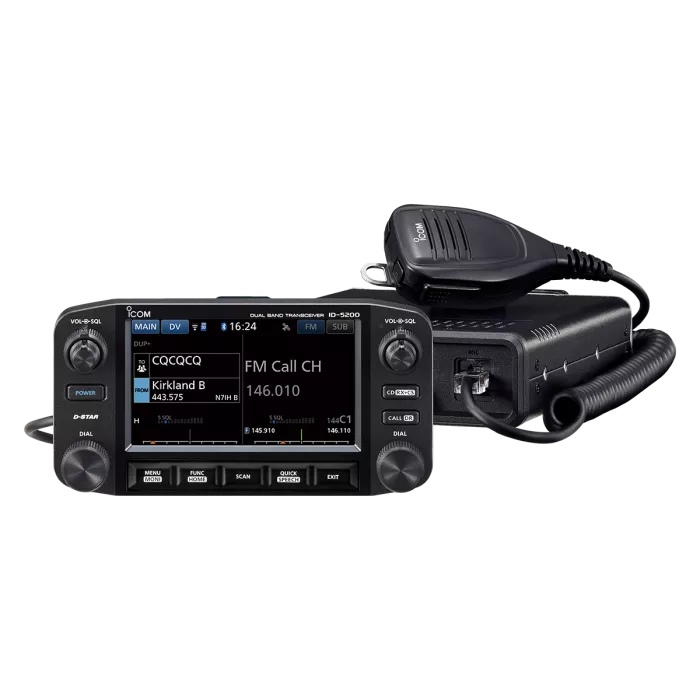
ICOM ID-5200 Firmware Version 1.01.zip
Firmware
Model name ID-5200A, ID-5200E
Version Version 1.01
Update 2026/08/26
Major changes
This is the first release.
Note
The CS-5200 programming software used with this firmware can be downloaded here.
To update the firmware
1. Download and unzip the firmware data (for example, 5200E101.dat) and copy it into the “ID-5200” folder on your microSD card.
2. Insert the microSD card with the firmware data into the transceiver.
3. Update the firmware.
3-1. Display the SD CARD screen in the Menu.
3-2. Touch “Firmware Update” on the SD CARD screen to open the FIRMWARE UPDATE screen.
3-3. Touch [▼] to scroll to the end of the screen to read all the precautions, after you have read and agreed with all the precautions, touch [YES].
3-4. The confirmation dialog recommends backing up the settings and memories by touching [YES].
We recommend backing them up in this step because updating the firmware may reset all the settings and memories.
3-5. After the backup file is made, and the firmware selection screen is displayed, touch the firmware update data (for example, 5200E101).
3-6. Please carefully read all the precautions, and when you want to execute it, touch [Yes] for 1 second to start the firmware update.
3-7. When the update is completed, "Firmware updating has completed.” is displayed, and the transceiver will automatically restart.
If the setting data needs to be converted, it may take some time to restart.
4. If the settings and memories have been reset, load the settings and memories that have been backed up onto the microSD card.
4-1. Display the SD CARD screen in the Menu.
4-2. Select “Load Setting” on the SD CARD screen to open the LOAD SETTING screen.
4-3. Select the file name of the saved file.
4-4. Select “ALL,” and then the dialog “Keep ‘SKIP’ settings in the Repeater List?” is displayed, select [YES].
4-5. The dialog "Load file?” is displayed, select [Yes].
4-6. After the loading ends, “COMPLETED! Restart the ID-5200.” is displayed, restart the transceiver.
After updating the firmware, the Version Information in the OTHERS Set will be as follows.
Main CPU: 1.01
Controller CPU: 1.01
DV DSP: 1.00
Modem DSP: 1.00
GPS: 20158
Bluetooth: 2.02
Wi-Fi: 1.7.348.0